 webCOMAND Docs
 API Reference
 PHP API
 io_comand_publication
- ⌂ io_comand_publication
- Configurations
- Content Types
Publication Settings
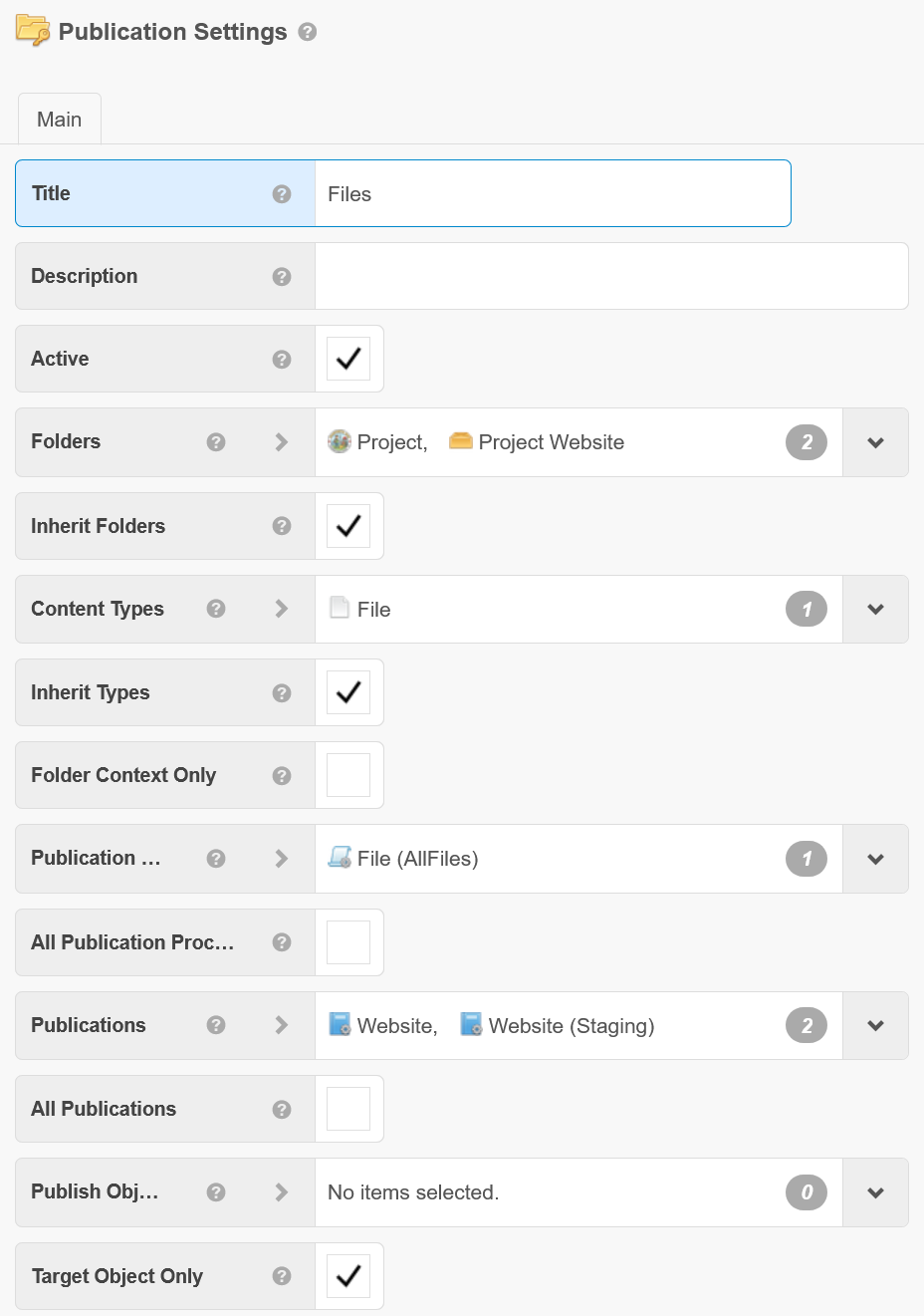
Publication Settings map Publication Procedures to Folders and Content Types to activate Publishing in Content Manager.
 Fields
- Title - Optional title for these settings.
- Description - Optional description for these settings.
- Active - These settings are only considered when active is checked.
- Folders - The folder(s) to apply these settings to. Choose the Root folder with 'Inherit Folders' to apply to all content of matching types in the system (including those without any folder(s) assigned).
- Inherit Folders - If checked, all subfolders (and their subfolders, etc) will also inherit these settings.
- Content Types - The content type(s) to apply these settings to. Choose the cObject type with 'Inherit Types' to apply to content of all types in the selected folder(s).
- Inherit Types - If checked, all subtypes recursively will also inherit these settings.
- Folder Context Only - If checked, these settings will only apply if the user is viewing the target object(s) with respect to the folders in this settings instance.
- Publication Procedures - When content of these types are previewed/approved, these procedures will be run on that content.
- All Publication Procedures - If checked, all procedures in the selected publication(s) will be run (disregarding any selected procedures).
- Publications - When content of these types are previewed/approved, these publications will be run on that content.
- All Publications - If checked, all publications for the selected procedure(s) will be run (disregarding any selected publications).
- Publish Objects - When any content of these types are previewed/approved, these particular objects should also be previewed or approved immediately afterwards.
- Target Object Only - If checked, the selected publications/procedures (or all, if none are selected) will run only against this given object; otherwise the procedures will be run against their full publication lists.
The target object must appear in the procedure's publication list in order for this to take effect. If the procedure has a list and the target object is not in it, the procedure is not run. Otherwise if the procedure does not have a publication list, it will be run regardless of this setting.